How to use Fixed Savings as margin
Method 1: Directly set as margin when subscribing.
Go to the top navigation bar, go to Wealth > Fixed Savings. Select a crypto that is Usable as margin, select the crypto and enter the subscription amount, then select the Use as margin toggle. Once you've subscribed, you can view the holding details on Wealth overview.
Method 2: Use existing subscriptions as margin
Via Wealth overview
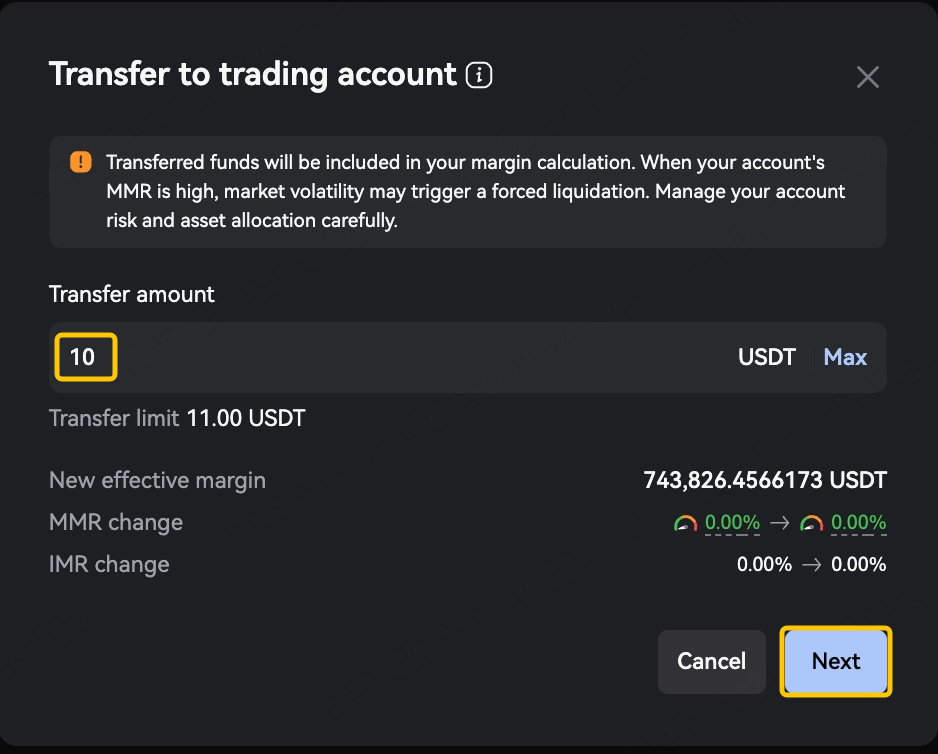
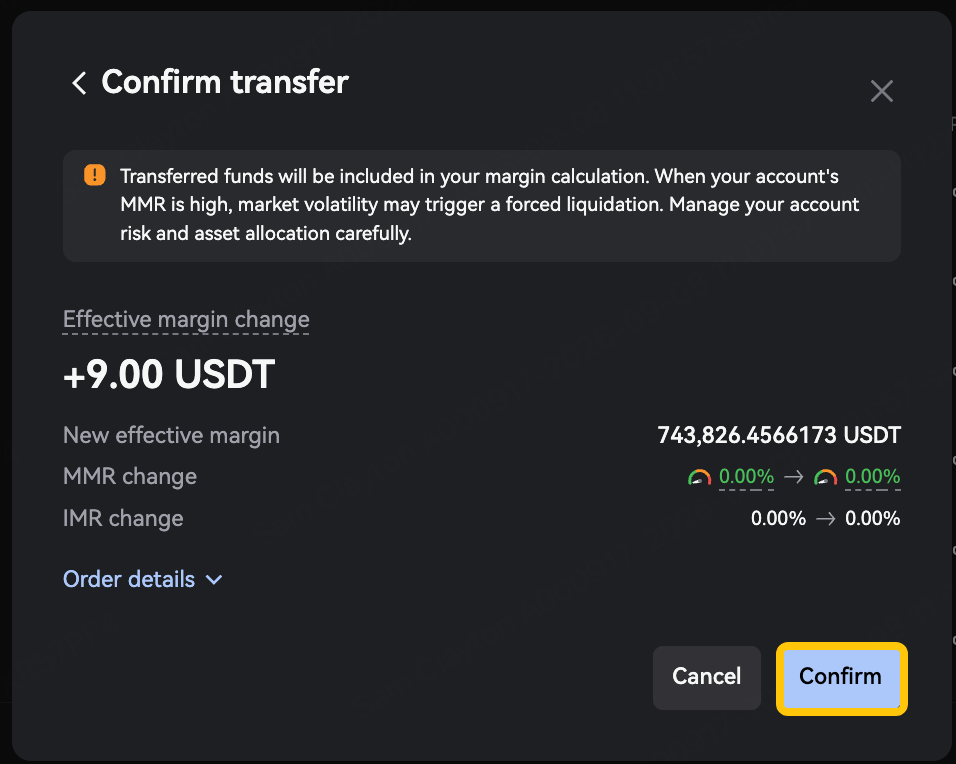
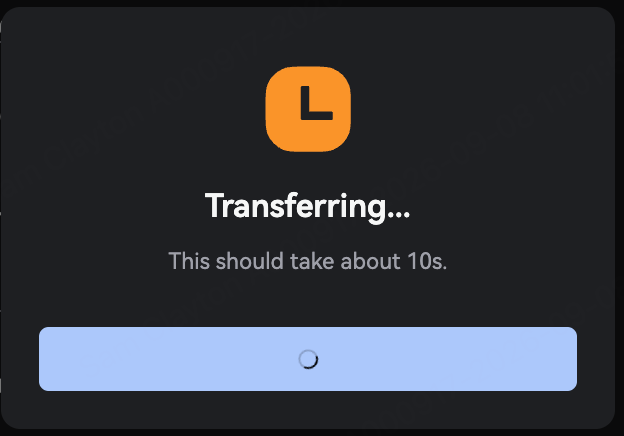
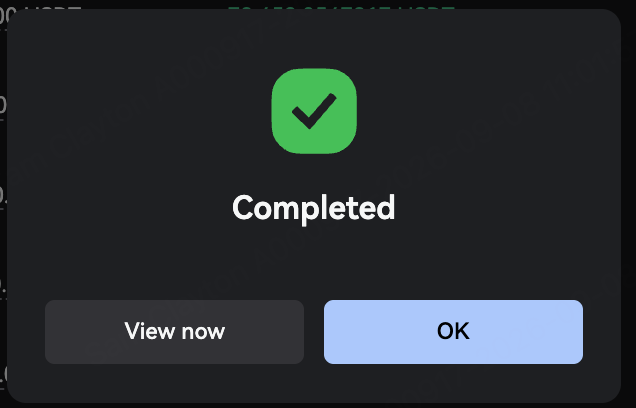
Go to any page under Wealth and select View my assets. Select the Fixed Savings order you want to use as margin, select Use as margin, set the amount you want to use as margin, then select Next then Confirm. Your subscribed funds will be transferred to your trading account to use as margin. Once the transfer is complete, you can view the details on Wealth overview.
- Only orders that are eligible for margin-use can be transferred to your trading account as margin.
- You can choose to use all or some of the funds in an existing subscription as margin.
Via Assets home
Go to Assets > Crypto and select Funding account > Investment. Select the Fixed Savings order you want to use as margin, select Use as margin, set the amount you want to use as margin, then select Next then Confirm. Your subscribed funds will be transferred to your trading account to use as margin. Once the transfer is complete, you can view the details under Trading account > Fixed Savings.
- Only orders that are eligible to be used as margin can be transferred to your trading account as margin.
- You can choose to use all or some of the funds in an existing subscription as margin.
How to turn on auto-resubscription
Method 1: Turn on when subscribing
Go to the top menu bar and select Wealth > Fixed Savings. Select the product you want to subscribe to and select Subscribe. Enter the subscription amount, then turn on Auto re-subscription. Once the subscription is complete, auto re-subscription will be turned on.
Method 2: Turn on for existing subscriptions
Via Wealth overview
Go to any page under Wealth and select View my assets. Select the Fixed Savings order you want to turn on auto re-subscription for, then select the Auto re-subscription button. Once auto re-subscription is turned on, a confirmation message will appear and the button will turn blue.
- For the same product, auto re-subscription status is synced across all orders subscribed on the same day before 16:00. Turning it on or off for one order does the same for all the others.
Via Assets home
Go to Assets > Overview > Fixed Savings. Select the Fixed Savings order you want to turn on auto re-subscription for, then select the Auto re-subscription button. Once auto re-subscription is turned on, a confirmation message will appear and the button will turn blue.
- For the same product, auto re-subscription status is synced across all orders subscribed on the same day before 16:00. Turning it on or off for one order does the same for all the others.
How do I transfer Fixed Savings out of my trading account and stop using it as margin?
(You can use one of the following methods. We recommend method 1.)
Method 1: Via Wealth overview
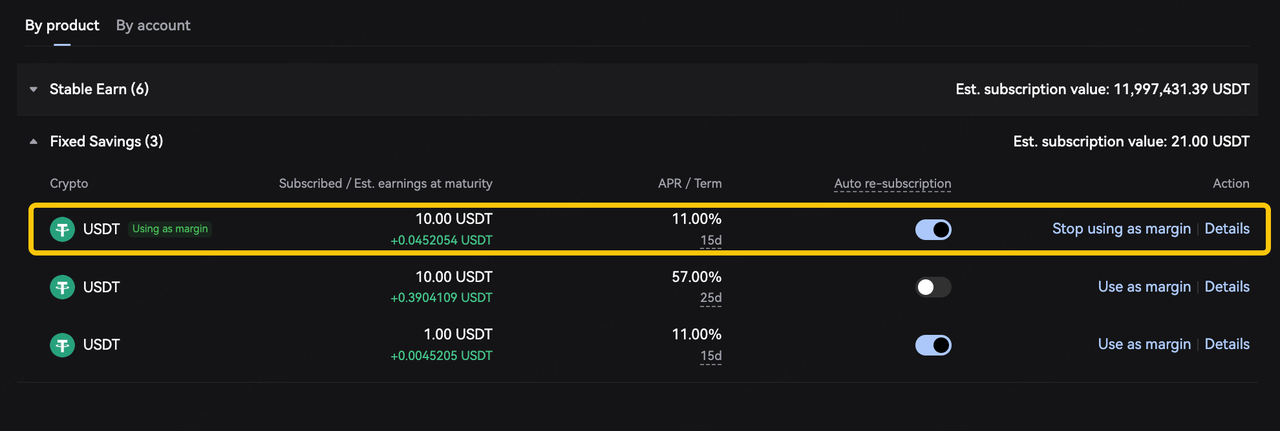
Go to any page under Wealth and select View my assets. Select the Fixed Savings order you want to stop using as margin, then select Stop using as margin. After reviewing how this will change your trading account's margin amount and margin ratio, select Confirm. Once the transfer is complete, the Using as margin label next to the currency will be removed.
Notes
- You can tell if an order is usable as margin by whether its Use as margin button is selectable. If it's selectable, the order can be used as margin. If not, it can't.
- You can tell if an order is being used as margin by its label. If it has a Using as margin label, it is being used as margin. If it doesn't, it isn't.
- Once a Fixed Savings subscription is transferred back to the funding account, it no longer counts towards your margin.
- Subscriptions being transferred to your funding account can only be transferred in full. Partial transfers aren't supported.
Method 2: Via Assets home
Go to Assets > Crypto > Trading account > Investment. Select the Fixed Savings order you want to stop using as margin, then select Stop using as margin. After reviewing how this will change your trading account's margin amount and margin ratio, select Confirm. Once the transfer is complete, you can find the subscription under Funding account > Investment.
Notes
- You can tell if an order is usable as margin by whether its Use as margin button is selectable. If it's selectable, the order can be used as margin. If not, it can't.
- You can tell if an order is being used as margin by its label. If it has a Using as margin label, it is being used as margin. If it doesn't, it isn't.
- Once a Fixed Savings subscription is transferred back to the funding account, it no longer counts towards your margin.
- Subscriptions being transferred to your funding account can only be transferred in full. Partial transfers aren't supported.
How to redeem Fixed Savings early
Redeem subscription that isn't being used as margin
(You can use one of the following methods. We recommend method 1.)
Method 1: Via Wealth overview
Go to any page under Wealth and select View my assets. Select the Fixed Savings order you want to redeem early, then select Details. In the pop-up, select Redeem, choose a redemption method, then enter the amount you want to redeem (full or partial redemption is supported), and select Redeem.
Notes:
- You can only select Redeem for subscriptions to products that support early redemption.
- After a partial redemption, select Details > View redemption history to see the redemption record.
- Once you've redeemed a Fixed Savings order in full, you can view all its redemption records under the Fixed Savings order.
Method 2: Via Assets home
Go to Assets > Crypto > Funding account > Investment. Select the Fixed Savings order you want to redeem early, then select Details. In the pop-up, select Redeem, choose a redemption method, then enter the amount you want to redeem (full or partial redemption is supported), and select Redeem.
Notes:
- You can only select Redeem for subscriptions to products that support early redemption.
- After a partial redemption, select Details > View redemption history to see the redemption record.
- Once you've redeemed a Fixed Savings order in full, you can view all its redemption records under the Fixed Savings order.
Redeem subscription that's being used as margin
Subscriptions being used as margin need to be transferred out of your trading account first, then redeemed early.
Via Wealth overview
Go to any page under Wealth and select View my assets. Select the Fixed Savings order you want to redeem early, then select Stop using as margin. Then redeem it early.
Via Assets home
Go to Assets > Crypto > Trading account > Investment. Select the Fixed Savings order you want to redeem early, then select Stop using as margin, then go to Funding account > Investment to redeem it early.